Challenges#
Instant replay came to MLB in 2008 for home run calls and expanded to most reviewable plays in 2014. In 2026 the league added a second flavor: Automated Ball-Strike (ABS) challenges, letting batters, pitchers, and catchers contest individual ball/strike calls in real time. Both kinds can change the scoring of a play, so when they happen, you need to note them.
How MLB Replay Review Works#
There are two distinct challenge systems in today’s game.
Manager Challenges (on-field plays)#
When a manager disagrees with an umpire’s call on the field, they request a review. Play stops, the call goes to the Replay Operations Center in New York, and umpires review the video. Reviewable calls include:
- Force/tag plays at any base — safe vs out (stolen bases, force outs, tag plays at home)
- Catch / no-catch (trap) in the outfield
- Fair / foul boundary balls down the lines
- Home-run boundary calls — over the fence, off the wall, or a ground-rule double
- Hit by pitch — was the batter actually struck by the ball
- Touching a base / leaving early on a tag-up (appeal plays)
- Fan interference, stadium boundaries, collision rules at home plate, slide-interference (Chase Utley) rules
Each manager gets one challenge per game; teams keep their challenge if the call is overturned (so a team that wins challenges can keep going). Umpires can also initiate crew chief reviews on their own for certain plays.
The result is one of two outcomes:
- Overturned — the original call was wrong. The play is corrected: an out becomes a safe call (or vice versa), runners may be repositioned, a catch becomes a trap, a fair ball becomes foul.
- Upheld (or “stands” / “confirmed”) — the original call holds. The challenging team loses their challenge.
A call that “stands” means there wasn’t clear evidence to overturn it; a call that’s “confirmed” means the video clearly supported the original. For scoring purposes both mean the same thing: the original call remains.
Automated Ball-Strike (ABS) Challenges#
Starting in 2026, MLB lets batters, pitchers, and catchers challenge ball/strike calls. ABS challenges work very differently from manager challenges:
- The player must signal (helmet/cap tap) within roughly two seconds of the pitch — no delay allowed.
- Only one of three players — the batter, pitcher, or catcher — can initiate. The manager cannot.
- The challenge is resolved instantly by the computerized strike-zone system. No replay center, no delay.
- Each team gets two challenges per game; teams keep them on overturns.
An ABS overturn changes a pitch from a ball to a called strike (or vice versa). That can have downstream effects on the count and the at-bat: a 3-1 ball becomes 3-2 strike, an apparent walk on ball four becomes a still-live at-bat, an apparent strikeout becomes a still-live at-bat with a ball added.
Noting a Challenge on a Paper Scorecard#
There’s no universally standardized notation for challenges — they’re a recent addition to the game and scoring conventions vary. Use whatever works for you. A few approaches scorers use in practice:
- A small “Ch” (or “R” for Review) somewhere on the play — in the corner of the at-bat cell, near a pitch in the pitch sequence, or next to a fielding notation
- For an upheld challenge, you might mark just “Ch” since nothing actually changed
- For an overturned challenge in pencil, erase the original and write the corrected scoring (with optional “Ch” annotation)
- For an overturned challenge in ink, you could strike through the original scoring and add the corrected version, perhaps as “Ch
” — the strike-through preserves the history of what was first called
The right answer is whatever lets you read the scorecard later and understand both what happened and that a review took place. Many casual scorers don’t note challenges at all if the corrected scoring is already on the card.
In BaseballScorer#
BaseballScorer handles each challenge type with its own UI path. ABS challenges produce a visible mark in the pitch-dot sequence (circled pitch or capsule); Manager challenges produce a small “Ch” badge in the top-leading corner of the at-bat cell.
ABS (Pitch) Challenge#
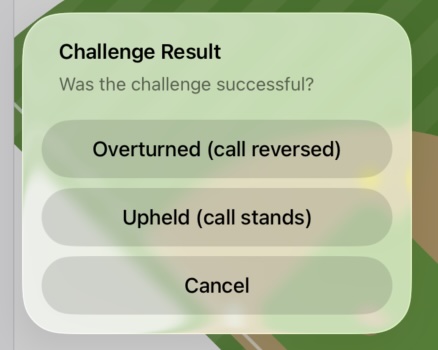
After recording a pitch or play, a Pitch Challenge button appears in the review panel. Tap it to open a Challenge Result alert with three options:
- Overturned — the call is reversed. The original pitch stays visible (as a hollow dot) and the corrected pitch appears next to it.
- Upheld — the original call stands. The team loses their challenge.
- Cancel — you tapped the button by accident; nothing changes.
Visual notation in the pitch sequence: Challenges leave a distinct visual mark in the pitch dot display. Both upheld and overturned challenges are circled so you can spot them at a glance.
Upheld challenge: The original pitch dot is circled — the call was reviewed but stands unchanged. Here, a called strike was challenged and upheld:

Overturned: ball becomes strike. The original ball appears as a hollow green circle (voided), followed by the corrected called strike (filled orange dot). Both are enclosed in a capsule:
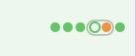
Overturned: strike becomes ball. The original called strike appears as a hollow orange circle (voided), followed by the corrected ball (filled green dot). Both are enclosed in a capsule:

The key idea: nothing is erased. The original call is always visible as a hollow circle so you can read exactly what happened — what was called, that it was challenged, and what it became. Your pitch sequence tells the full story.
Manager Challenge (play challenges)#
For on-field replay challenges — safe/out at a base, catch/trap, fair/foul, HR boundary, stolen-base reversal — BaseballScorer routes you through a single Manager Challenge sheet. The app figures out what you’re challenging from how you opened it, and (when overturned) routes you back into the normal scoring flow to record the corrected outcome — no separate “edit scoring” step required.
Entry points#
There are three ways to launch the sheet, picked to fit the situation:
1. Review-panel button. Open any completed at-bat in the review panel (tap its cell on the scorecard, or scroll back to it in the inning column). Next to Pitch Challenge you’ll see a Manager Challenge button. Use this for at-bat-result challenges (HR, hit, out) on a recent at-bat.
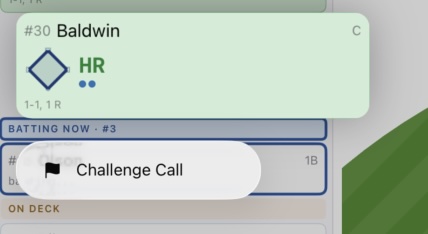
2. Inning-summary long-press. Long-press a batter card in the inning summary to get a Challenge Call option. This is the fastest path for an at-bat-result challenge — and, importantly, it’s also how you challenge a runner event for a runner who is no longer on a base (e.g., a caught stealing or pickoff out): long-press the runner’s batting card.
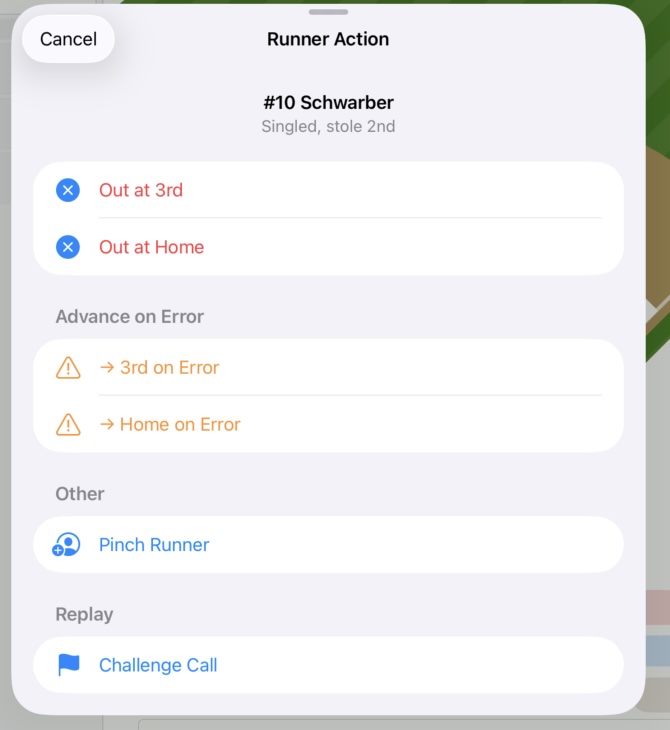
3. Diamond tap on a runner. Tap a base where a runner is currently standing → the runner-action sheet opens → Challenge Call appears as the last option whenever there’s a reviewable runner event involving that runner this inning. Use this to challenge a successful steal (SB), a safe pickoff slide, or a safe call on an advancing runner.
The app uses a “play has moved on” rule: once a subsequent at-bat has begun (any events on the next AB, or it’s already complete), the at-bat-result challenge entry disappears from that card. Runner-event challenges remain reachable for the runner involved.
The challenge sheet#
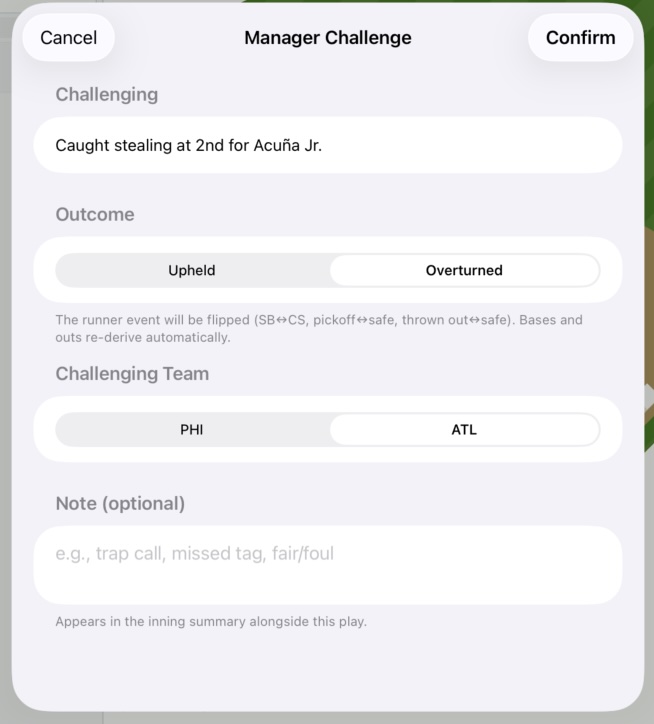
The sheet has four pieces:
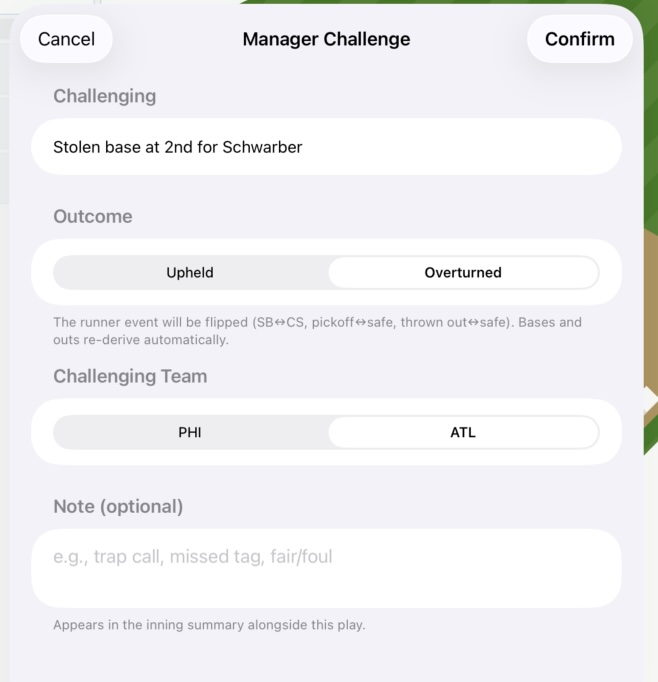
- Challenging — a one-line label showing exactly what’s being reviewed, e.g., “HR by Baldwin” or “Stolen base at 2B for Schwarber”. Confirms you’re on the right call before you commit.
- Outcome — Upheld or Overturned.
- Challenging Team — Home or Away (defaults to the batting team; flip if the defense challenged).
- Note (optional) — free-form text like “trap call”, “missed tag at second”, “fair down the line”. Appears in the inning summary alongside the play.
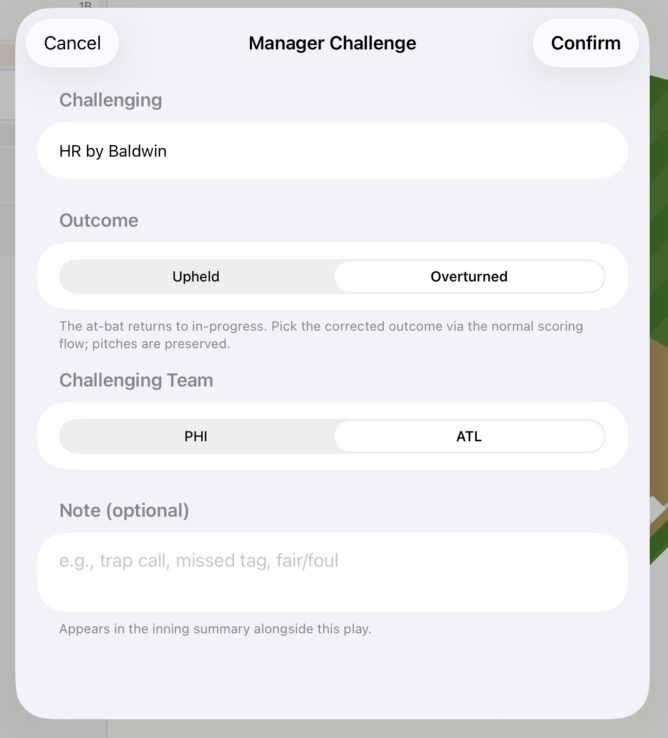
Tap Confirm to record the challenge.
Upheld#
The challenge events are recorded against the at-bat, the challenging team’s remaining-count decrements, and you’re done. Nothing else changes — the original call stands.
Overturned: at-bat result (HR / hit / out)#
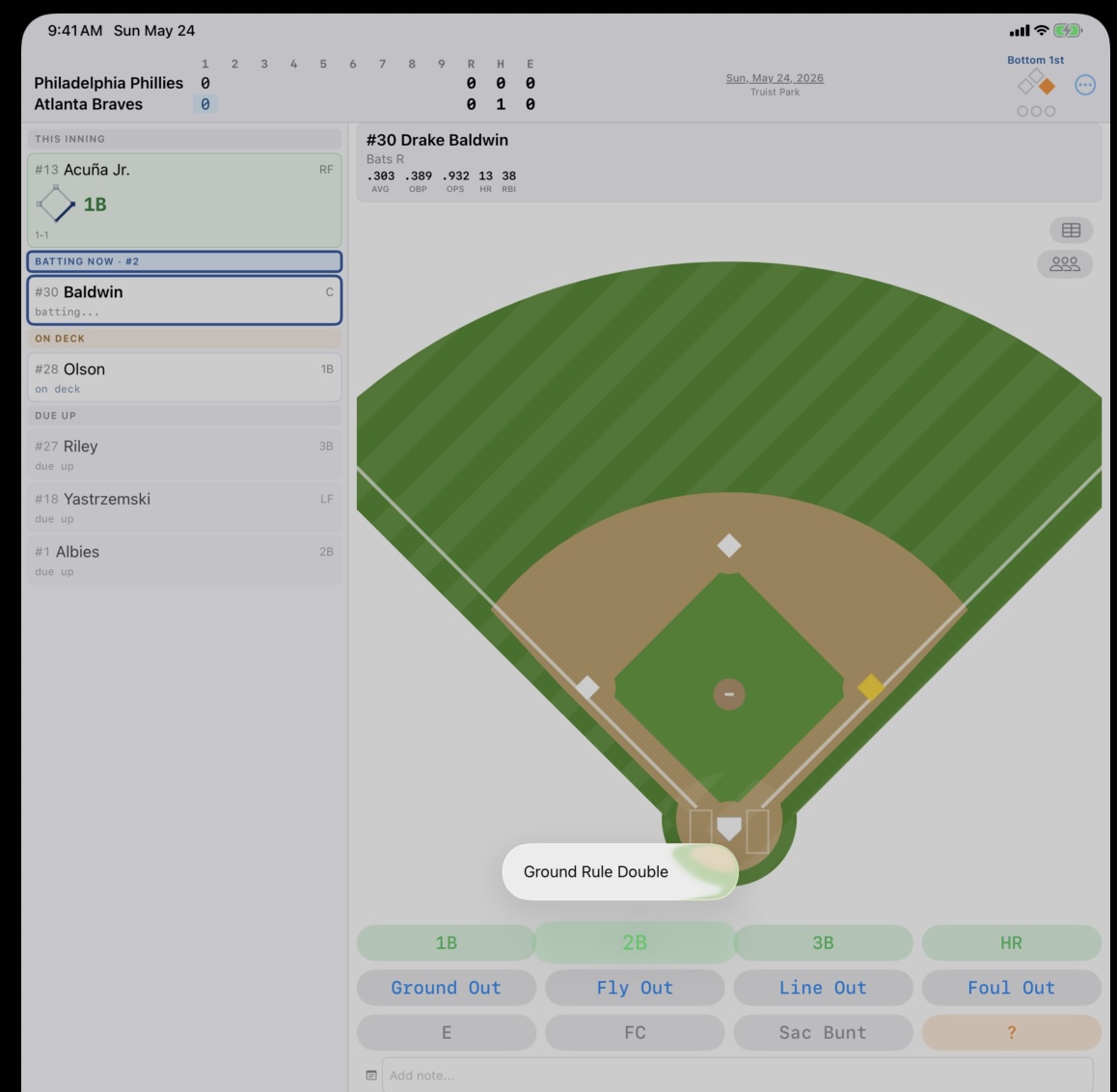
The at-bat automatically reverts to in-progress. Pitch sequence is preserved; the original result and any runner-advancement events it generated are stripped; prior baserunners are restored. You then pick the corrected outcome via the normal scoring flow — which handles runner placement, RBIs, and runs for you.
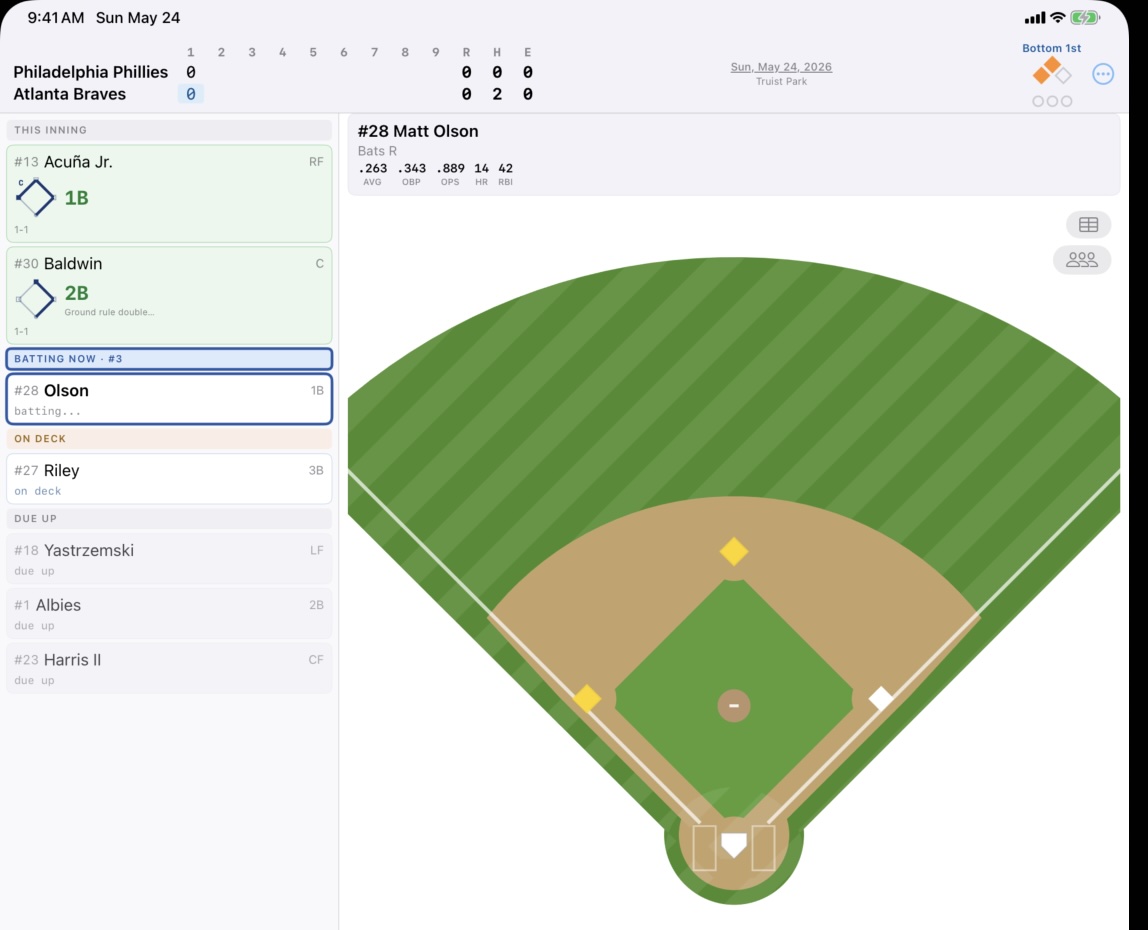
Worked example — Baldwin HR overturned to a ground-rule double:
The auto-completion note “HR call challenged, overturned to 2B” is added to the at-bat’s notes and shows in the inning summary:
Overturned: runner event (SB ↔ CS, pickoff, advance)#
The targeted runner event flips in place — stolen base becomes caught stealing (or vice versa), picked-off becomes safe, thrown-out becomes safe. Bases, outs, and run totals re-derive automatically.
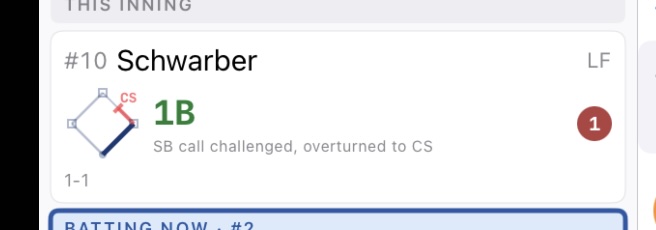
Stolen base overturned to caught stealing — runner removed from 2B, out recorded:
Caught stealing overturned to stolen base — runner restored to 2B, out removed:
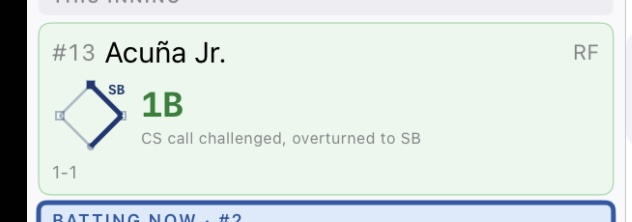
The auto-note (“SB call challenged, overturned to CS” or “CS call challenged, overturned to SB”) attaches to the runner’s batting at-bat — the play where they reached base — rather than whichever at-bat happened to be in progress when the steal/pickoff occurred. That keeps the narrative readable: each runner’s card tells their full story.
Scorecard badge#
An at-bat with a resolved Manager challenge shows a small “Ch” badge in the top-leading corner of the cell. (ABS challenges do not get this badge — the pitch-dot capsule / circle already conveys them.) The badge tells you a Manager challenge happened on this play; the auto-note (in the inning summary) and the corrected scoring tell you the rest.
Challenge status bar#
A persistent indicator shows how many challenges each team has remaining, broken out by pool — e.g., ABS 2/2 • Mgr 1/1. The two pools are separate in MLB 2026: each team gets 2 ABS challenges and 1 Manager challenge per game. Teams keep a challenge on an overturn (so a successful challenge doesn’t decrement the remaining count); an upheld challenge consumes it. The status bar updates automatically when a challenge is resolved.

Known limitation: foul-ball calls#
A fair/foul boundary that should be Manager-challenged (e.g., a ball called foul that the fielding team believes hit fair, or vice versa) currently routes through the ABS / pitch-challenge flow, because the foul call is recorded as a pitch outcome. The reverse direction works today (HR or hit overturned to a foul ball flows correctly through the at-bat-result challenge path). A dedicated entry point for foul-to-fair Manager challenges is planned but not yet shipped.
Challenges are relatively rare, but they can significantly change the scoring of an inning — especially if an overturned call puts a runner on base who later scores. Recording them accurately ensures your scorecard tells the true story of what happened.
See also: Pitch Tracking | Stolen Bases